What Is Network Architecture? Types, Models & Components
Published: 8 Oct 2026
The internet connects billions of devices, but they need a clear structure to work together effectively. Networks use a defined structure to connect devices, move data, provide services, and control access. This structure gives a basic idea of network architecture.
In this article, I break down what network architecture is and its components, types, models, benefits, principles, and challenges. I also explain how to choose an architecture that works for different network requirements.
Stay with me till the end!
What Is Network Architecture?
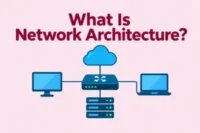
Network architecture is the overall design of a computer network. It defines how devices, systems, applications, and network services connect and work together. It also determines how the network handles data, security, performance, and access.
For example, a small office may use a simple network architecture where computers connect to a switch, the switch connects to a router, and the router connects the office network to the internet.
How Does Network Architecture Work?
Network architecture organizes different devices and services so they can handle network traffic in a planned way. It gives each part of the network a role and creates a structure.
It mainly works by:
- Creates Connections: Network devices such as switches and routers create connections.
- Directs Data: The network directs data from its source to the correct destination. Routers choose where data should go, while switches send it to devices on the local network.
- Protects Network Resources: Security devices and network rules control who can access specific systems, services, and resources.
- Runs Services: The network provides the connections that applications need to exchange information and deliver services to users.
- Handles Traffic: Network systems manage data traffic to help prevent congestion and keep important services running smoothly.
- Adds New Devices: A well-planned architecture allows organizations to add more users, devices, services, or locations without rebuilding the entire network.
Components of Network Architecture
A network architecture includes various components that work together to build a working network. Together, these elements form the framework.
The following components make up a network:
- Network Devices: Switches, routers, access points, and gateways connect devices and help data move between parts of the network.
- Servers: Servers provide shared resources and services, such as file storage, websites, applications, databases, and user accounts.
- Endpoints: Computers, smartphones, printers, cameras, and other connected devices use the network to send and receive data.
- Network Services: Services such as DNS, DHCP, and authentication help devices get network settings and connect users to the right systems.
- Security Tools: Firewalls, intrusion prevention systems, and access controls protect network systems and help block unwanted access.
- Network Links: Wired and wireless connections carry data between devices, buildings, data centers, and other network locations.
Types of Network Architecture
A network can use different architecture types depending on its size, users, and requirements. Each type uses a different structure to share network services.
The key types include:
- Client-Server Architecture: A central server provides data, applications, and other services to connected client devices. This setup gives organizations more control over users and shared services.
- Peer-to-Peer Architecture: Devices communicate directly with each other without relying on a central server. This method is commonly used in small networks with basic sharing needs.
- Cloud-Based Architecture: This type uses cloud platforms to provide network functions and services. It gives organizations more flexibility when supporting users, applications, or locations in different places.
- Hybrid Architecture: A hybrid network combines different network structures to meet specific needs. For example, an organization may keep some systems on its own network while using cloud services for others.
- Distributed Architecture: This type spreads network functions across multiple locations or systems instead of placing everything in one central location. This setup helps organizations serve users across different regions.
Common Network Architecture Models
A network model defines how its layers are arranged and how they interact. Each model arranges network layers and functions differently. Let’s look at these models:
- Three-Tier Model: This model divides the network into access, distribution, and core layers. Each layer handles a specific part of network communication, which makes the network easier to manage.
- Two-Tier Model: This model combines the core and distribution functions into one layer. It provides a simpler structure for networks that do not need a separate core layer.
- Spine-Leaf Model: This model connects leaf switches to spine switches in a data center. It gives devices multiple paths to communicate and supports steady traffic flow as the network grows.
- Hierarchical Model: This model organizes network functions into levels based on their roles. It gives administrators a clear structure for managing different parts of the network.
- Mesh Model: This model creates multiple connections between network devices. If one connection fails, data can use another available path to reach its destination.
Network Architecture vs. Network Topology
Network architecture and network topology describe a network from different perspectives. Both concepts are important when planning and understanding a computer network.
| Feature | Network Architecture | Network Topology |
| Definition | The method used to structure a network. | The arrangement of connections between network devices. |
| Purpose | Determines the roles and relationships within the network. | Shows the pattern used to link network devices. |
| Coverage | Covers the broader design of the network. | Covers the connection pattern between devices. |
| Perspective | Views the network as a complete system. | Views the network through its connection layout. |
| Examples | Client-server, cloud-based, hybrid, and distributed architecture. | Star, ring, bus, mesh, and tree topology. |
| Role | Guides the overall structure of the network. | Helps define how devices connect within the network. |
| Connection | Can include different topology patterns. | Can form part of a larger network architecture. |
Benefits of a Well-Designed Network Architecture
A network architecture affects how an organization builds and uses its network. A clear structure gives different network elements a defined place and purpose.
This type of structure can provide several important advantages:
- Faster Data Flow: Helps data move efficiently and reduces unnecessary traffic between devices.
- Stronger Security: Makes it easier to separate sensitive systems, control access, and apply security rules where needed.
- Less Downtime: Helps reduce service interruptions when a component fails.
- Lower Costs: Helps organizations avoid unnecessary hardware, services, and maintenance costs.
- Faster Troubleshooting: Helps find the source of connection problems and fix issues faster.
How to Design a Network Architecture
Designing a network architecture requires a plan for how devices, systems, users, and services will connect. The design should support the organization’s current setup and plans.
The key steps for network design are:
- Assess Requirements: Identify the number of users, devices, applications, locations, and network services the organization needs.
- Map Network Needs: List the systems and users that need to communicate, along with the connections and resources they require.
- Choose an Architecture: Pick an architecture that fits your network size, business goals, and technical needs.
- Plan Network Layers: Decide how to divide network functions into layers, such as access, distribution, and core.
- Select Components: Choose routers, switches, access points, firewalls, servers, and other components that fit the planned design.
- Plan IP Addressing: Create an IP addressing scheme that gives devices and network segments clear and organized addresses.
- Add Security Controls: Define access rules, network segmentation, firewalls, and other controls that protect network resources.
- Document the Design: Create network diagrams and written records that show devices, connections, addresses, and key configurations.
Traditional vs. Modern Network Architecture
Traditional and modern network architectures use different ways to build a network. Their designs have changed as network needs, technologies, and work environments have evolved.
| Feature | Traditional Network Architecture | Modern Network Architecture |
| Network Setup | Uses fixed equipment and planned connections. | Uses physical equipment together with software and cloud resources. |
| Infrastructure | Depends mainly on equipment located at the organization’s site. | Can use on-site equipment together with cloud-based resources. |
| Traffic Control | Uses settings on individual network devices to control traffic. | Uses software rules to manage how traffic moves through the network. |
| Network Growth | Often requires new equipment when the network expands. | Can add network resources through software or cloud services. |
| Security | Places much of the security around the main network connection. | Applies security controls to users, devices, applications, and network access. |
| Common Technologies | Uses routers, switches, firewalls, and other dedicated equipment. | Uses cloud networking, SD-WAN, and software-based network services. |
Modern Trends in Network Architecture
Network architecture continues to change with new technologies. Modern networks now use new methods to connect users across different locations.
Here are the trends shaping modern networks:
- Software-Defined Networking: Uses software to manage network resources instead of configuring each device separately.
- SD-WAN: Uses software to manage connections between different locations and select the best paths for network traffic.
- SASE: Combines network access and security services through the cloud to protect users connecting from different locations.
- Edge Networking: Moves some network services and data processing closer to users and connected devices to reduce the distance data needs to travel.
- Zero Trust: Verifies users and devices before granting access to network resources rather than automatically trusting devices within the network.
- Network Automation: Handles routine network tasks, such as configuration and monitoring, with less manual work from administrators.
Challenges of Network Architecture
Managing a network can become more difficult as the number of devices, users, and services grows. These are some challenges that can make network management harder:
- High Costs: Network equipment, software, maintenance, and upgrades can require a large budget.
- Complex Setup: Large networks can have many devices and connections, making them harder to plan and manage.
- Poor Documentation: Incomplete network records can make it difficult to track devices, connections, and network settings.
- Maintenance Work: Network equipment needs regular checks, updates, and replacements to keep systems working properly.
- Skill Requirements: Network teams need the right technical knowledge to manage advanced devices, services, and network systems.
- Legacy Systems: Older equipment or software may not work well with newer network technologies, making upgrades harder.
How to Choose the Right Network Architecture
First, understand the network’s purpose, setup, and users. The best option should match how the network needs to operate and connect its different parts.
Consider these factors before choosing a network architecture:
- Network Type: Decide whether the network will support an office, data center, cloud services, remote users, or multiple locations.
- How Devices Connect: Consider how users, devices, and systems need to connect and communicate with each other.
- Where Services Run: Check where applications, databases, files, and other services will run. They may be on local servers, in a data center, or in the cloud.
- How Data Moves: Consider where most data travels, such as within one location, between locations, or through cloud services.
- Current Network Setup: Check the equipment and systems already in use. The new architecture should work with them or replace older parts.
- User Locations: Consider whether users and devices are in one place, multiple branches, or remote locations.
- Management Skills: Choose an architecture that the network team can manage effectively.
Conclusion
We learned what network architecture is, how network parts connect and communicate, how it operates, what different networks need to support, why networks use certain designs, and how those designs support users and services.
The right architecture depends on the situation. What works well for one network may not work as well for another. So, consider the network’s purpose, users, services, and overall setup.
FAQs
Here, you will get answers to the most common questions about network architecture.
Hybrid network architecture combines different network environments into one setup. For example, a business may connect its on-site systems with cloud services. This approach gives organizations more options when they manage different types of workloads.
A secure network architecture places protection measures throughout the network instead of relying on one security tool. Organizations can control user access, separate sensitive systems, and monitor unusual activity.
Software-defined networking (SDN) separates network control from the physical devices that forward data. Software can manage network behavior through a central control layer.
A flat network architecture keeps devices in a simple network structure with fewer layers or segments. Devices may share the same broad network space. Small businesses with limited complexity use this structure.
Cloud network architecture defines how cloud resources communicate with users, applications, and other services. Companies use this structure to connect cloud workloads. It can include:
- Virtual networks
- Gateways
- Security controls
- Traffic management tools
A distributed network architecture spreads computing resources or services across multiple systems or locations. These systems can work together instead of relying on one central machine.
High-availability network architecture uses backup components and connections to keep services running. If one component fails, another component can take over the workload. This setup helps reduce service interruptions.
Wireless network architecture describes how wireless devices connect and communicate through access points and other network equipment. It covers factors such as device access, network coverage, and data transmission through the wireless network.
Logical network architecture shows how information moves through a network, regardless of the physical cable layout. It describes network segments, addresses, traffic paths, and communication rules.
Network architecture determines how internal systems connect with internet services. It can control the path traffic takes between local devices and external networks. A well-planned setup can help reduce connection problems.




- Be Respectful
- Stay Relevant
- Stay Positive
- True Feedback
- Encourage Discussion
- Avoid Spamming
- No Fake News
- Don't Copy-Paste
- No Personal Attacks
- Be Respectful
- Stay Relevant
- Stay Positive
- True Feedback
- Encourage Discussion
- Avoid Spamming
- No Fake News
- Don't Copy-Paste
- No Personal Attacks
