What Is Network Infrastructure? All Key Facts
Published: 6 Oct 2026
Our devices depend on network connections to exchange information. Behind those connections, different pieces of equipment, software, and communication links work together. Once you see how these parts connect, it becomes much easier to understand how a network supports everyday work.
In this guide, I’ll show you what network infrastructure is, what it includes, how it works, and why businesses rely on it. You’ll also learn about its types, security, management, design, best practices, and common challenges.
Let’s learn how these connections work and why they matter.
What Is Network Infrastructure?
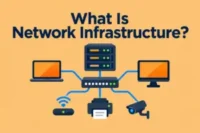
Network infrastructure consists of hardware, software, devices, connections, and technologies that enable computers, servers, applications, and other devices to communicate. It allows different devices and systems to connect, communicate, and share information.
For example, when an employee opens a business application on a laptop, network infrastructure helps establish the connection, route data to the right destination, secure the communication, and deliver the requested information back to the laptop.
What Does Network Infrastructure Do?
Network infrastructure performs several important tasks that keep networks running and help users access the services they need.
Here’s what it provides:
- Connects Devices: Network infrastructure links computers, phones, servers, printers, and other devices so they can share data.
- Moves Data: It sends data between devices and chooses suitable paths to reach the intended destination.
- Shares Resources: It lets users access shared files, printers, applications, storage, and other resources from connected devices.
- Provides Internet Access: Routers and gateways connect internal networks with the internet and external services.
- Supports Communication: It enables email, video meetings, messaging, voice calls, and other communication services.
- Protects Network Traffic: Firewalls and access controls help prevent unauthorized connections and reduce security risks.
- Keeps Services Available: Reliable network equipment and connections help users reach important systems with fewer interruptions.
- Monitors Network Activity: Network management tools help administrators track performance, identify faults, and resolve problems.
How Does Network Infrastructure Work?
Network infrastructure enables devices to communicate and exchange information. Each network component handles a specific step, from starting a connection to delivering data to the right destination.
Here’s how different network components work together:
- Connect Devices: Laptops, phones, servers, and other devices connect to the network through wired or wireless connections.
- Send Requests: When a user opens a website, accesses a file, or uses an application, the device sends a request through the network.
- Direct Local Traffic: A network switch examines the destination of local data and sends it to the correct connected device.
- Choose Data Paths: When data needs to reach another network, a router checks the destination and selects a suitable path to deliver the data.
- Follow Network Rules: Network protocols establish the rules devices follow to exchange data accurately.
- Deliver Data: Network devices pass the data through the required connections until it reaches the intended application.
- Return Information: After receiving and processing a request, the destination sends the requested information back through the network.
- Monitor Activity: Network management tools track network performance and help administrators identify slow connections, faults, or other issues.
Components of Network Infrastructure
Network infrastructure consists of several components that work together to form a complete network. These components include:
- Routers: Connect different networks and provide a path for data to travel between them.
- Switches: Connect devices within the same network and provide direct connections between them.
- Firewalls: Control network access and block connections that do not meet security rules.
- Servers: Provide shared resources, applications, storage, or other services to connected devices.
- Access Points: Offer wireless network connections for devices such as laptops, phones, and tablets.
- Network Cables: Deliver physical connections between network devices and systems.
- Modems: Connect a network to an internet service by converting signals between the service connection and network equipment.
- Network Interface Cards: Enable devices to join wired or wireless networks.
- Gateways: Link networks that use different communication methods or architectures.
- Network Management Software: Provides tools to configure, monitor, and maintain network equipment.
Types of Network Infrastructure
Network infrastructure has different types, each designed for a specific networking environment. Some types serve small local networks, while others support large environments.
It includes the following common types:
- LAN Infrastructure: Covers a small area, such as an office, school, home, or single building.
- WAN Infrastructure: Covers large geographic areas and connects networks across cities, countries, or regions.
- WLAN Infrastructure: Uses wireless connections to serve devices within a defined area, such as an office or campus.
- Cloud Network Infrastructure: Uses cloud platforms and services to host network resources and support users without keeping everything on local systems.
- Data Center Infrastructure: Supports high-volume computing and storage environments that handle large amounts of data and business applications.
- Enterprise Network Infrastructure: Serves large organizations that need connectivity across many departments, offices, users, and systems.
- Virtual Network Infrastructure: Creates network resources through software, allowing organizations to build and manage networks without relying entirely on physical equipment.
- Software-Defined Network Infrastructure: Uses software-based controls to manage how the network operates and responds to changing needs.
- Hybrid Network Infrastructure: Combines local systems with cloud resources so an organization can use both environments together.
- Edge Network Infrastructure: Places computing resources closer to users and connected devices to process data nearer to where organizations need it.
Wired vs. Wireless Network Infrastructure
Wired and wireless infrastructure provide distinct ways to build network connections. Each one has different characteristics that can affect network setup and performance.
| Factor | Wired Network Infrastructure | Wireless Network Infrastructure |
| Physical Setup | Requires physical cable connections between network devices. | Uses radio signals instead of physical connections between devices. |
| Mobility | Users generally need to stay near a physical connection point. | Users can move within the available wireless coverage area. |
| Performance | Usually provides consistent performance for connected devices. | Performance may vary due to distance, interference, and network conditions. |
| Reliability | Offers a stable connection when cables and network equipment work properly. | Connection quality can vary because wireless signals can face interference or physical obstacles. |
| Security | Physical access to network connections can provide an additional layer of control. | Requires strong wireless security settings to prevent unauthorized access. |
| Examples | Office desktops, servers, network printers, and data center equipment. | Laptops, smartphones, tablets, smart TVs, and wireless IoT devices. |
Why Is Network Infrastructure Important?
Network infrastructure plays a key role in keeping people, systems, and business activities connected. It is important for several reasons:
- Enables Expansion: Helps businesses support more users, locations, and technology as they grow.
- Reduces Downtime: Helps prevent network interruptions that can stop or delay important work.
- Supports Remote Work: Gives employees access to business resources from different locations.
- Improves Collaboration: Makes it easier for teams to share information and work together across locations.
- Supports Digital Services: Provides the connectivity that websites, cloud services, business applications, and online tools need.
- Optimizes Resources: Helps businesses use available network capacity more effectively.
- Simplifies Future Changes: Makes it easier to introduce new devices, services, and network requirements as business needs change.
Role of Network Security in Network Infrastructure
Network security forms an essential part of network infrastructure. It adds security measures to the network environment. It supports the safe and reliable functioning of network services.
It serves several security purposes, such as:
- Controls Access: Limits network access to approved users, devices, and systems.
- Protects Data: Helps keep sensitive information safe while it moves across the network.
- Blocks Threats: Prevents harmful traffic, malware, and suspicious connections from reaching network systems.
- Secures Devices: Protects network equipment from unauthorized changes.
- Enforces Security Rules: Applies policies that define who can access network resources and what they can access.
- Limits Security Damage: Helps contain threats so they do not spread easily across connected systems.
What Is Network Infrastructure Management?
Network infrastructure management is the process of monitoring, maintaining, and managing a network to keep it reliable, aligned with business needs, and responsive to changing requirements.
What It Does:
- Monitors Performance: Tracks network performance to identify slow connections, faults, and other issues.
- Manages Configurations: Updates network settings when technical or business requirements change.
- Maintains Equipment: Carries out routine checks to keep network equipment in good condition.
- Plans Capacity: Reviews network usage to prepare for future needs and increased demand.
What Is Modern Network Infrastructure?
Modern network infrastructure refers to a network environment designed to meet the changing needs of today’s digital businesses. It supports growing workloads and changing technology demands.
Features
- Scalability: Helps the network handle more users and devices.
- Flexibility: Makes it easier to adapt the network when business needs change.
- Automation: Handles routine network tasks with less manual effort.
- Centralized Control: Gives a single place to manage network settings.
- Visibility: Provides current information about network conditions.
How to Build a Reliable Network Infrastructure
Building a reliable network infrastructure requires careful planning before installation. It helps ensure the network meets current and future needs.
Use these steps to build a reliable network:
- Assess Your Needs: Identify the users, applications, locations, devices, and connectivity requirements the network must support.
- Plan the Design: Create a network plan that defines how different areas and systems will connect.
- Set a Budget: Estimate the costs of equipment, installation, software, maintenance, and future upgrades.
- Choose Equipment: Select network equipment based on performance needs, expected usage, compatibility, and available budget.
- Test the Network: Test connections and network performance before putting the infrastructure into regular use.
- Document the Setup: Record network layouts, device details, configurations, and connection information for future reference.
Network Infrastructure Best Practices
Good network practices help businesses keep their infrastructure organized, dependable, and easier to maintain. Proper care can help prevent common issues and support reliable network performance.
Here are some best practices to follow:
- Keep Records Updated: Keep network diagrams, device details, and configuration records accurate as changes occur.
- Use Standard Settings: Apply consistent settings across similar network devices to reduce setup errors.
- Review Network Changes: Check planned changes before applying them to avoid unexpected problems.
- Back Up Configurations: Keep recent copies of important device configurations so you can restore settings when needed.
- Replace Outdated Equipment: Replace aging equipment when it no longer meets current performance or compatibility needs.
- Check Physical Connections: Regularly inspect cables, ports, and other physical connections for signs of damage or wear.
- Schedule Maintenance: Set regular maintenance times to handle network tasks without disrupting important work.
Network Infrastructure Challenges
Businesses can face various challenges when operating and maintaining network infrastructure. These issues can affect network performance, access, and business activities.
Common challenges may include:
- Network Downtime: Unexpected outages can prevent users from accessing important systems and services.
- Slow Performance: Heavy traffic, limited capacity, or technical problems can cause slow network speeds.
- Equipment Failures: Faulty or aging network equipment can interrupt connections and affect normal work.
- Compatibility Issues: Different devices, systems, or technologies may not work well together.
- Limited Capacity: A network may struggle when the number of users, devices, or applications increases.
- Complex Networks: Large networks can become difficult to understand and troubleshoot when they include many connected systems.
- High Costs: Network upgrades, equipment replacement, maintenance, and expansion can increase operating costs.
Conclusion
We have covered what network infrastructure is, its main parts, the differences between wired and wireless infrastructure, its importance, management, modern infrastructure, and reliable network design.
In my view, businesses should balance network performance, security, cost, and future needs rather than prioritizing just one factor. Regular maintenance, careful planning, security controls, and timely upgrades can help manage risks and reduce the effect of network problems.
Frequently Asked Questions
I’ve answered important questions about network infrastructure.
Yes, network infrastructure is one part of the broader IT infrastructure.
- IT infrastructure covers the wider technology environment that businesses use to support their work.
- Network infrastructure specifically focuses on connectivity and communication between systems.
Network administrators and network engineers commonly manage network infrastructure. They handle network planning, configuration, troubleshooting, and technical changes. Larger businesses have dedicated networking teams for these responsibilities.
Network infrastructure architecture describes how a network is structured and how its different parts relate to each other. It gives technical teams a clear view of the network’s overall structure. A well-planned architecture can make future changes easier to understand.
Network infrastructure documentation records important information about a network in an organized format. It may contain:
- Network diagrams
- Device information
- Connection details
- Technical records
Network infrastructure capacity refers to how much data and network activity the infrastructure can handle. It depends on factors such as available bandwidth, equipment limits, and the number of connected users and devices.
Network infrastructure scalability is a network’s ability to support growing demands over time. A scalable network can accommodate more users, devices, locations, or services without requiring a complete replacement.
Network infrastructure availability describes how consistently network services remain accessible when users need them. High availability keeps network services accessible and reduces service interruptions.
Network infrastructure lifecycle management covers the different stages of network equipment and technology over time. It can involve purchasing, deployment, use, updates, replacement, and retirement. This helps businesses keep track of technology as it ages or becomes unsuitable.
Network infrastructure installation involves setting up the physical and technical components of a network. It includes:
- Placing equipment
- Connecting cables
- Configuring devices
- Preparing network connections
A network infrastructure provider offers networking products, services, or technical support. Services may include connectivity, equipment, installation, and ongoing assistance. Businesses can choose a provider based on their network needs and budget.





- Be Respectful
- Stay Relevant
- Stay Positive
- True Feedback
- Encourage Discussion
- Avoid Spamming
- No Fake News
- Don't Copy-Paste
- No Personal Attacks
- Be Respectful
- Stay Relevant
- Stay Positive
- True Feedback
- Encourage Discussion
- Avoid Spamming
- No Fake News
- Don't Copy-Paste
- No Personal Attacks
