Why Is Your Internet Slow at Night and How to Fix It
Published: 19 May 2026
If you feel that your internet slows down every night, you are not alone. Recent reports show that internet traffic increases by more than 40 percent during evening hours because most people use the internet at the same time. I have seen this issue repeatedly while testing connections on different networks.
In this article, why is your internet slow at night and how to fix it, you will learn the reasons behind this slowdown and simple ways to fix it. After reading this, you will know how to get a stable speed even during peak hours.
Let’s break this down step by step so you can take control of your internet.
What Does “Slow Internet at Night” Mean?
When the internet feels slow at night, there is a clear change in its performance. Many connections work fine during the day but feel different in the evening. It does not always mean the internet speed is low. In many cases, the issue shows up in how fast things respond or how stable the connection feels.
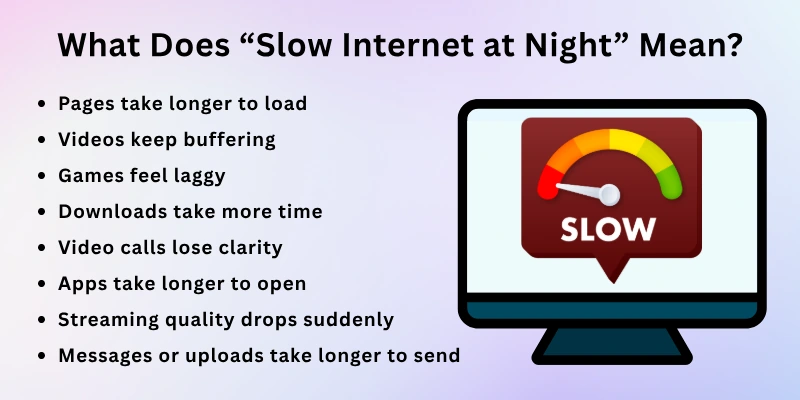
- Pages take longer to load
- Videos keep buffering
- Games feel laggy
- Downloads take more time
- Video calls lose clarity
- Apps take longer to open
- Streaming quality drops suddenly
- Messages or uploads take longer to send
Main Reasons for the Internet Slowing Down at Night
The internet often feels fast during the day and then starts acting slow at night. This change usually comes from a few common issues that affect speed and stability. These problems can come from the network outside your home or from your own setup.
In the section below, the main reasons and their easy solutions are given.
1. Internet Traffic Congestion (Most Common Cause)
This happens when too many users go online at the same time. The internet line gets crowded, just like traffic on a busy road. At night, more people stream videos, play games, and use social media, so the network slows down.
How to fix it
- Use the internet during less busy hours when possible
- Avoid large downloads at night
- Lower video quality while streaming
- Switch to a wired connection for better stability
2. ISP Network Limitations & Oversubscription
Internet service providers sometimes sell more connections than their network can handle. This creates pressure on the system, especially at night when usage is high. As a result, your speed drops even if your plan is fast.
How to solve it
- Test your speed at different times of the day
- Upgrade your internet plan if needed
- Contact your provider and report slow speed at night
- Switch to a better ISP if the issue continues
3. Bandwidth Throttling by Internet Providers
Internet providers sometimes slow down certain types of internet use during busy hours. They control speed on the network to manage heavy traffic, which becomes more noticeable at night when usage increases across the area.
How to deal with it
- Check speed at different times to see patterns
- Avoid heavy streaming during peak hours
- Test your connection with a VPN to compare speed
- Contact your provider if the slowdown continues every night
4. Too Many Devices in Your Home Network
When several devices connect to the same WiFi at the same time, they all share the same internet speed. Phones, TVs, laptops, and other smart devices all compete for internet data, which makes the connection weaker for each one.
Ways to fix it
- Turn off devices you are not using
- Stop background apps that use the internet
- Reduce streaming on multiple devices at once
- Upgrade your router if too many devices stay connected regularly
5. Weak WiFi Setup or Hardware Issues
A weak WiFi setup or old equipment can slow your internet without any warning. This happens when the router cannot handle modern internet use or does not send a strong signal. Over time, hardware also loses performance and affects your connection.
How to resolve it
- Restart your router regularly
- Place the router in an open and central location
- Update router settings and firmware
- Replace the old router with a newer model
6. Distance & Interference Problems
Your internet signal gets weaker when you move far away from the router. Walls, floors, and other electronic devices can also block or disturb the signal. This makes the connection unstable in different parts of your home.
What you can do
- Stay closer to the router when using heavy internet
- Keep the router away from thick walls and electronics
- Use a WiFi extender or mesh system
- Switch to a wired connection for stable speed
7. Hidden Data Usage
Some apps and devices use the internet in the background without you noticing. Updates, cloud backups, and syncing can run quietly and use your connection, which makes your internet feel slow.
Easy solutions
- Turn off auto-updates on apps and devices
- Stop cloud backup when not needed
- Close apps running in the background
- Check which apps use the most internet
8. Old or Outdated Internet Plan
An old internet plan may not match today’s internet needs. Modern usage, like streaming, gaming, and multiple devices, needs more speed than older plans usually offer. This makes your connection feel slow, even when nothing is wrong with your setup.
How to improve it
- Check your current internet speed and usage
- Upgrade to a higher-speed plan if needed
- Compare plans from different providers
- Choose a plan based on how many devices you use daily
9. Router Overheating or Long Uptime
A router can slow down when it runs for too long without rest or gets too hot. This reduces its performance and makes your internet feel unstable, especially at night. In some cases, it may even drop the connection for a few seconds or longer.
Simple fixes
- Turn off or restart the router once in a while
- Keep the router in a cool and open place
- Avoid placing it near heat sources
- Replace the router if it gets old and weak
10. Poor ISP Routing Paths
Sometimes your internet data takes a longer or more crowded path to reach websites or apps. This delay happens outside your home and can make your internet feel slow even if your speed is fine.
What you can do to fix it
- Restart your router to refresh the connection path
- Try a different DNS setting
- Use a VPN to test different routes
- Contact your internet provider if the issue continues
11. Overloaded Streaming Services
Popular streaming apps and websites get very busy at night as many users watch videos simultaneously. This heavy load can slow loading and cause playback delays. It can also make videos pause frequently or take longer to start playing.
How to get better speed
- Watch videos in lower quality during slow internet at night
- Download videos before watching
- Try streaming at less busy times
- Close other apps using the internet while streaming
How to Check What’s Slowing Your Internet
When your internet starts slowing down, you need to find the exact point where the problem starts. A few checks can help you see if the issue comes from your device, your WiFi, or your internet provider. Once you identify the problem, fixing it becomes much easier.
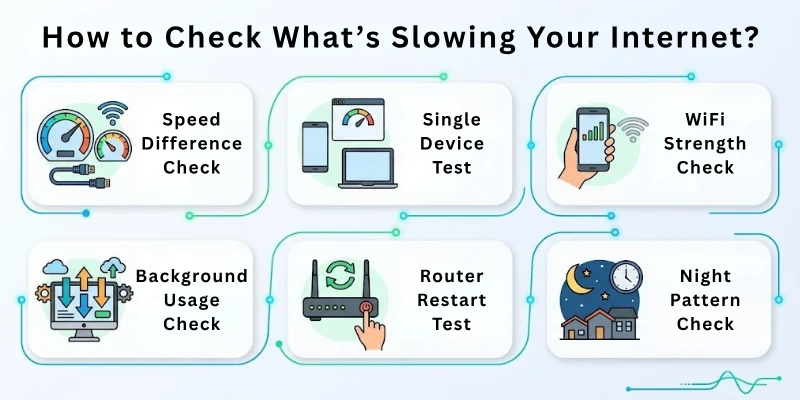
- Speed Difference Check: Test your internet speed at different times. If it drops only at night, the issue may be linked to network load, not your device.
- Single Device Test: Use only one device on your WiFi and see if the speed improves. If it does, too many devices may be affecting your connection.
- WiFi Strength Check: Move close to your router and check if the internet gets better. If yes, signal strength or distance may be the issue.
- Background Usage Check: Look for apps, downloads, or updates running in the background. These can quietly reduce your available speed.
- Router Restart Test: Restart your router and observe any change in speed. A fresh restart can reveal if the router needs attention.
- Night Pattern Check: Notice if the slowdown happens only during evening hours. If yes, your ISP network may be under heavy load at that time.
Long-Term Solutions to Fix Slow Internet at Night
When the internet gets slow in the evening, you need more than quick fixes. Long-term changes help you avoid the same problem again and again. These steps improve your overall internet setup, so it works better during busy hours.
- Upgrade to a Better Internet Plan: Choose a plan that matches your daily usage, especially if you stream or game often.
- Switch to a Reliable ISP: If your speed drops every night, changing your internet provider can make a big difference.
- Use a Modern Router: Old routers cannot handle heavy use, so upgrading helps improve speed.
- Install a Mesh WiFi System: A mesh system spreads WiFi evenly across your home and removes weak signal spots.
- Prefer Fiber Internet if Available: Fiber connections give more stable speed compared to older cable or DSL networks.
- Schedule Heavy Downloads: Set large downloads or updates for late-night or early morning hours.
- Limit Use During Peak Time: Avoid running multiple high-data activities all at once in the evening.
- Maintain Your Network: Keep your router updated and restart it occasionally to keep performance stable.
Tips to Prevent Nighttime Internet Problems
Nighttime internet issues mostly feel random, but small habits can stop most of them before they start. These tips focus on improving the connection setup and reducing pressure during busy hours. If you follow them, your internet will stay more stable in the evening.
- Check Internet Speed: Test your speed every few days to notice early drops before the problem gets worse.
- Update Router Firmware: Keep your router software up to date to ensure smooth performance and avoid hidden issues.
- Use Separate WiFi Bands: Connect devices to 2.4 GHz or 5 GHz bands based on distance and usage to reduce overload.
- Secure Your WiFi Network: Set a strong password so unknown users do not connect and slow down your internet.
- Clear Browser and App Cache: Remove stored data from apps and browsers to reduce unnecessary load on your device.
- Enable Auto Video Quality Settings: Set apps to auto-adjust quality so they do not overload your connection during peak times.
- Monitor ISP Patterns: Notice if speed drops at the same time daily to understand your provider’s network behavior.
Conclusion
I have shared with you the causes and fixes for why your internet is slow at night and how to fix it step by step. You can try these long-term solutions right away to improve your internet setup. I also explained practical tips to prevent these issues so your connection stays more stable in the evening.
Slow internet at night is not always a single problem. It can come from your device, your WiFi setup, or your internet provider. The good thing is that most of these issues can be identified and improved with the right steps.
I have also included some frequently asked questions at the end. Do not skip them.
FAQs
Here are some common questions about why your internet is slow at night and how to fix it.
You can start by restarting your computer and router to refresh the connection. Check for background apps that may be using the internet without your knowledge. Update your network drivers to improve performance and fix bugs. You can also reset network settings if the problem continues.
The internet slows down at night because many people use it at that time. This creates heavy traffic on the network and reduces speed. Your internet provider’s system can also become overloaded during peak hours.
Slow internet is often normal due to high network usage in the evening. Many users experience the same issue. However, it can also signal setup or provider problems. That is why checking causes and fixes is important.
WiFi lag in the evening often happens due to heavy online activity in your area. Many users stream videos and play games during peak evening hours. This puts pressure on the network and slows response time. It is a common evening WiFi issue.
Bad weather can sometimes affect signal quality, especially for certain connections. Heavy rain or storms may disturb network signals. This can lead to slow or unstable internet. It is linked with bad-weather internet issues.
YouTube traffic increases during evening hours when more users watch videos. This creates a load on servers and slows playback. Your internet may still be fine, but videos buffer. This is common during YouTube buffering at night.
If speed drops only at certain times, your ISP may be limiting traffic. You can test speed at different hours to compare results. Consistent slowdowns often point to provider-level issues. This relates to ISP throttling during peak hours.
This happens when the WiFi signal cannot reach every part of your home equally. Walls and distance weaken the signal in some areas. At night, network load makes weak spots more noticeable. It links to weak WiFi coverage issues.
It depends on the cause of the problem. Network congestion usually lasts a few hours in the evening. Other issues may continue until fixed. It is usually seen in temporary vs. permanent slow internet cases.
Yes, damaged or old cables can reduce connection quality. They may not handle high traffic well. This becomes more visible during busy hours. It is linked to home internet wiring issues. It can also cause frequent drops in speed and unstable connections at night.





- Be Respectful
- Stay Relevant
- Stay Positive
- True Feedback
- Encourage Discussion
- Avoid Spamming
- No Fake News
- Don't Copy-Paste
- No Personal Attacks
- Be Respectful
- Stay Relevant
- Stay Positive
- True Feedback
- Encourage Discussion
- Avoid Spamming
- No Fake News
- Don't Copy-Paste
- No Personal Attacks
