What Is Star Topology? Examples, Working, Pros and Cons
Published: 19 Sep 2026
If you work with computers or use a local network, you may have seen a setup where several devices connect through one central switch. This design forms the basic structure of star topology.
In this article, I’ll explain what star topology is, how this structure affects network performance, its features, uses, setup, troubleshooting steps, and how it compares with other network topologies.
Let’s break down the concept in simple terms.
What Is Star Topology?
Star topology is a network design where every device connects to a central device. The central device is typically a switch that manages communication between computers, printers, servers, and other network devices. Each connected device has its own link to the switch, which gives the network its star-like shape.
For example, when one computer needs to send a file to another computer, the data first reaches the switch. The switch then forwards the data to the correct destination.
In brief, star topology connects multiple devices to a central point, allowing the central device to manage communication across the network.
How Does Star Topology Work?
Star topology follows a simple communication path that keeps all connected devices linked through one central point. When a device needs to communicate with another device, the network follows a sequence to deliver the information to its intended destination.
Here is how this process works step by step:
- Device Sends Data: A computer or another network device creates data and sends it through its network connection.
- Switch Receives Data: The central switch receives the incoming data and analyzes the information.
- Switch Identifies the Destination: The switch checks its network table to determine which connected device should receive the data.
- Data Reaches the Destination: The switch sends the data through the appropriate connection to reach the intended device.
- Separate Connections: Each device has its own connection to the central point. This arrangement gives every device a dedicated path to the network.
- Traffic Management: The switch controls data movement between connected devices and helps prevent unnecessary traffic from reaching unrelated devices.
- Individual Link Failure: If a device or its cable fails, the problem usually affects only the connected device, not the entire network.
- Central Device Failure: If the central switch fails, connected devices can lose network communication because the switch provides the main connection between them.
Star Topology Diagram
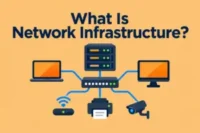
A star topology diagram gives a visual view of how a network connects its devices. You can identify the central switch in the middle, with individual links extending to each connected device.
A star topology looks like this:
Computer 1 ───┐
Computer 2 ───┤
Printer ──────┤ Central Switch
Server ───────┤
Computer 3 ───┘
The diagram shows the basic layout of a star network. Each endpoint has a separate line leading to the central switch.
Components of Star Topology
A star network topology uses several hardware parts to build a complete network. Each part serves a different purpose, from providing connection points to enabling devices to communicate over the network.
These are the main components and the role each one plays:
- Switch: Provides the main hardware point where wired network connections come together. It uses multiple ports to connect different network devices.
- Network Interface Card: Lets a device communicate over a network. Most modern computers include a built-in NIC.
- Ethernet Cable: Carries network signals between devices and the switch. Common network setups use cables such as Cat5e or Cat6.
- Switch Ports: Provide physical connection points for Ethernet cables. A switch can have different numbers of ports depending on the network size and model.
- RJ45 Connector: Attaches an Ethernet cable to a network port. It provides a standard physical connection for wired Ethernet networks.
Types of Star Topology
Star topology can take different forms depending on how the network connects and manages its devices. Each type uses the topology slightly differently to meet specific network requirements.
Let’s look at the main types:
- Active Star Topology: Uses an active central device, such as a switch, to manage communication between connected devices. The central device receives and forwards network data.
- Passive Star Topology: Uses a central connection point that does not actively process or manage network data. It mainly connects devices within the network.
- Extended Star Topology: Connects multiple star networks through additional central devices. This design allows a network to support more devices across larger areas.
- Hierarchical Star Topology: Arranges multiple star networks in levels, with one central device connecting to other switches or network segments. This structure helps organize larger networks into separate sections.
Features of Star Topology
Star topology has several characteristics that shape its network structure and management. These characteristics help explain how the network is organized and managed.
Here are the main features to know:
- Modular Design: The network can be organized into separate sections based on rooms, departments, or other network requirements.
- Device Compatibility: A network can connect different types of compatible devices, such as laptops, printers, cameras, and servers.
- Performance Flexibility: Network speed depends on the switch’s capabilities, connected devices, and transmission media.
- Scalable Structure: The network can support additional devices when the central hardware has available capacity.
- Centralized Management: Network administrators can manage connected devices and network settings from the central network infrastructure.
- Structured Organization: Devices can be arranged according to the network’s needs, helping to maintain an organized network environment.
Advantages of Star Topology
Star topology has many advantages that simplify network management, maintenance, and everyday use. This setup provides the following benefits:
- Easy to Install: A star network has a simple structure, making it easier to set up and connect devices.
- Simple Troubleshooting: Network administrators can check connections to locate problems more quickly.
- Efficient Traffic Management: A switch can direct data to the appropriate device, which helps manage network traffic.
- Better Network Performance: Devices can communicate through separate network connections, which helps maintain stable network performance.
- Flexible Device Placement: Devices can be positioned in different locations as long as they can connect to the central network device.
- Easy Maintenance: Administrators can inspect, maintain, or replace network components without rebuilding the entire network.
Disadvantages of Star Topology
Star topology in networking has certain limitations that can affect network reliability and design. So, the following drawbacks are important to consider:
- Higher Installation Cost: A star network requires more cable and central networking hardware than some other topologies.
- Device Dependency: If the central switch or other central device fails, connected devices may lose network communication.
- More Cabling: Each device needs a separate connection to the central device, which can increase cable requirements.
- Limited Device Capacity: The number of connected devices depends on the available ports and the device’s capacity.
- Upgrade Costs: Expanding or upgrading the central hardware can require additional equipment and expense.
- Cable Management: A large number of individual connections can make cable organization more difficult in larger networks.
Applications of Star Topology
This network structure appears in many environments where several devices need to work together. Its use varies depending on the network’s size and requirements.
You can find this network structure in:
- Home Networks: Families can link smart TVs and other devices through a central router or switch.
- Office Networks: Businesses use central networking hardware to connect employee computers and other workplace equipment.
- School Networks: Educational institutions use this structure in classrooms and labs for printers, computers, and interactive displays.
- Data Centers: Servers, storage systems, and other network equipment can operate through organized central network infrastructure.
- Retail Stores: Stores can connect point-of-sale systems and security cameras through central network hardware.
- Healthcare Facilities: Hospitals and clinics use centralized network infrastructure for medical systems and other network-enabled equipment.
Star Topology vs. Other Network Topologies
Different network topologies use various ways to connect and organize devices. Comparing these structures helps you know how star topology differs from bus, ring, and mesh designs.
This table shows the differences between network topologies:
| Feature | Star | Bus | Ring | Mesh |
| Central Device | Yes | No | No | No |
| Finding Problems | Easy | More difficult | Can be difficult | Easier |
| Cabling Needed | Moderate | Low | Moderate | Very high |
| Adding Devices | Easy | Limited | Moderate | More complex |
| Network Management | Easier | Less centralized | More complex | Complex |
| Connection Style | Through a central point | Through one main cable | In a circle | Multiple direct links |
| Cost | Moderate | Low | Moderate | High |
Star Topology in Modern Ethernet Networks
Modern Ethernet networks commonly use a star-based layout because it fits well with current networking hardware and standards. This structure supports a wide range of devices and network speeds.
Here are some important aspects:
- Switch-Based Networks: Modern Ethernet networks commonly use switches as the main connection point for wired devices.
- Fast Ethernet Speeds: Ethernet networks can support different speeds, depending on the switch, network adapter, and cable used.
- Network Expansion: Multiple switches can work together when a network needs to support more devices or cover a larger area.
- Cables: Modern Ethernet setups can use different cable types, such as Cat5e, Cat6, and fiber optic cables, based on network requirements.
- Local Area Networks: Star-based Ethernet layouts are widely used in LANs across homes, offices, schools, and other facilities.
How to Set Up a Star Topology
Setting up a star topology involves connecting network devices and making sure each connection works properly. A basic setup does not require complicated steps.
Follow these steps to set up a star network:
- Select the Central Switch: Select a switch with enough ports for all the devices you plan to connect.
- Place the Switch: Install the switch in a suitable location where you can easily connect and manage the network cables.
- Connect the Devices: Use Ethernet cables to connect compatible devices to the switch.
- Power On the Equipment: Connect the switch and other required network equipment to a power source and turn them on.
- Configure Network Settings: Set the required IP addresses and other network settings if the network needs manual configuration.
- Check the Connections: Check the switch’s port indicators to confirm that connected devices have active network links.
- Test the Network: Send data between connected devices or access a shared network resource to make sure the network works correctly.
How to Troubleshoot a Star Network
A star network can develop different connection problems. Identifying the source of the problem helps restore network communication more quickly.
Common problems and their solutions are:
Problem No. 1: The device cannot connect to the network.
Solution: Verify that the Ethernet cable connects securely to both the device and the switch. If the connection still fails, connect the device to a different switch port.
Problem No. 2: One device has no network access.
Solution: Check the device’s network settings and make sure it has a valid IP address. Restarting the network adapter can also help restore the connection.
Problem No. 3: Several devices lose connection.
Solution: Check the central switch for power and active link indicators. Restart the switch if needed and check its main network connections.
Problem No. 4: Network connection keeps dropping.
Solution: Inspect the Ethernet cable for damage and replace it if needed. You can also test the device with another cable or switch port.
Problem No. 5: Network speed is slow.
Solution: Check the network cables, switch ports, and connected devices for possible performance issues. Disconnecting unnecessary network traffic can also help improve performance.
Problem No. 6: Switch port does not work.
Solution: Connect the device to another available port on the switch. If the new port works, the original port may have a hardware or configuration problem.
Conclusion
This guide provides a complete overview of what network topology is, including how it works, its types, advantages, disadvantages, applications, and role in modern Ethernet networks.
Star topology has a simple network structure with organized connections and easier maintenance. However, it requires more cabling and depends on a central device, which can disrupt the network if the device fails.
FAQs
Let’s now explore some frequently asked questions about star topology.
A common star topology is a home network where several devices connect to one router or switch. Each device uses its own network connection to communicate with the rest of the network. This setup gives the network a clear and organized layout.
A network switch is commonly used in modern star networks. It provides multiple ports for connections and handles communication between connected devices. Older networks may use a hub for the same basic layout.
A failed cable normally affects only the device connected through that cable. Other devices can continue using their own network connections. Replacing the faulty cable can restore the affected connection.
Wireless networks can use a similar centralized structure through a wireless access point. Devices connect wirelessly to the access point instead of using Ethernet cables. This creates a central connection point without requiring a wired link for every device.
The main purpose of star topology is to organize network connections around a central point. This arrangement gives each connected device a separate link to the network. It also creates a physical structure that makes the network easier to understand.
Yes, a router can provide the central connection point in some star network setups. A router can connect local devices while also providing access to other networks, such as the internet. Many home networks use a router with built-in switching functions.
A hub sends incoming network data to all connected ports, while a switch can forward data to the intended destination. Switches handle network traffic more efficiently in modern Ethernet networks. This difference makes switches common in current wired networks.
Yes, a star-based network can include wireless devices when a wireless access point provides the central connection. Smartphones, tablets, and laptops can join the network without Ethernet cables. Wired and wireless devices can also work together on the same local network.
Ethernet networks commonly use twisted-pair cables such as Cat5e and Cat6. The suitable cable depends on the network equipment, required speed, and installation conditions. Some larger network links can also use fiber optic cable.
Yes, star-based layouts remain common in modern local area networks. Network switches and Ethernet standards work naturally with this structure. You can find similar layouts in homes, offices, schools, and other wired network environments.





- Be Respectful
- Stay Relevant
- Stay Positive
- True Feedback
- Encourage Discussion
- Avoid Spamming
- No Fake News
- Don't Copy-Paste
- No Personal Attacks
- Be Respectful
- Stay Relevant
- Stay Positive
- True Feedback
- Encourage Discussion
- Avoid Spamming
- No Fake News
- Don't Copy-Paste
- No Personal Attacks
